

As insurance organizations continue to modernize their data and insights capabilities, business intelligence (BI) platforms have become strategic assets rather than simple reporting tools. Data teams are expected to deliver faster insights, support self-service BI, and prepare their organizations for artificial intelligence (AI)-driven decision-making while controlling costs and maintaining strong governance.
This demand is fueling rapid growth across the global business intelligence software market, with forecasts projecting expansion from around $35.5 billion in 2025 to more than $86 billion by 2035. For many enterprises, Tableau has played a key role in enabling data strategies. But as environments scale and expectations evolve, limitations around cost structure, governance, and ecosystem integration become more apparent.
In response, a growing number of organizations are evaluating a shift to Power BI, particularly when paired with Microsoft Fabric, to support a more scalable, AI-ready data strategy. However, migrating from Tableau to Power BI affects architecture, governance, operating models, and user adoption. Understanding why organizations are making this move — and how to approach it thoughtfully — is critical to realizing long-term value.
From Visualization to Enterprise Analytics
As data insights become more central to business decision-making, organizations are reassessing whether their existing BI platforms can scale alongside their growing data volumes, governance requirements, and AI enablement goals. For many, the shift from Tableau to Power BI reflects broader changes in how insights are operationalized across the enterprise.
In fact, several factors are driving increased interest in Power BI, particularly within organizations already invested in the Microsoft ecosystem.
- Cost and scalability. Power BI often provides a lower total cost of ownership, especially when combined with Microsoft 365 licensing. Microsoft Fabric extends this model by introducing scalable, consumption-based computing allowing data workloads to grow without significant up-front infrastructure investment.
- Business enablement. Power BI integrates directly with everyday Microsoft tools such as PowerPoint, Teams, SharePoint, and Excel. This moves data insights directly into operational workflows. Features such as Copilot in Power BI further reduce barriers to insight by enabling natural-language exploration and assisted analysis.
- Technology and architecture. Within Microsoft Fabric, organizations can unify data engineering, lakehouse architecture, BI, and AI in a single platform. Power BI’s Data Analysis Expressions (DAX)-based semantic modeling supports reusable, governed data sets that align with enterprise data strategies, while Microsoft’s global security and compliance standards support large-scale deployments.
Each of these capabilities positions Power BI not just as a visualization tool, but as part of a broader insights and data platform strategy. But despite these advantages, organizations migrating from Tableau to Power BI must account for several practical and technical challenges.
Common Challenges During Tableau to Power BI Migration
While the business and technical benefits of moving to Power BI are compelling, migration is rarely a one-to-one exercise. Differences in implementation of calculation logic, data modeling approaches, governance structures, and user experience mean organizations must plan carefully to avoid disruption and rework.
Understanding these challenges early helps teams set realistic expectations and design a migration strategy that delivers long-term value. Here are six common areas data teams should examine when developing their strategy for migrating from Tableau to Power BI:
 Data Blending Versus Structured Modeling
Tableau’s flexibility in blending data at the visualization layer contrasts with Power BI’s emphasis on relational modeling. Organizations often need to restructure data using Power Query or composite models to improve performance, governance, and reuse.
 Performance and Scale Considerations
Differences between Tableau extracts and Power BI’s import and DirectQuery modes can affect performance, particularly for large data sets. Optimization techniques such as aggregations, partitioning, and model redesign are often required to meet enterprise performance expectations.
 Governance and Security Alignment
Tableau Projects and Power BI Workspaces operate under different governance paradigms. Migrating access controls, roles, and Row-Level Security (RLS) requires careful planning to maintain compliance and avoid gaps during the transition.
 Calculation and Modeling Differences
Tableau’s calculation framework — including Level of Detail expressions and table calculations — differs significantly from Power BI’s DAX model-driven approach. Many calculations cannot be translated directly and require re-design within a centralized semantic model.
 Data Validation and Testing Challenges
Data validation and testing are key challenges in a Tableau to Power BI migration due to differences in data models, calculations, and filters. Comprehensive reconciliation, parallel run testing, and KPI-level validation are required to ensure accuracy, consistency, and user confidence.
 User Experience and Change Management
Power BI dashboards follow different design and interaction patterns than Tableau. Rather than replicating dashboards one-to-one, organizations often need to redesign reports to leverage Power BI’s strengths. This shift introduces a learning curve, making training and stakeholder engagement critical to adoption.
These challenges underscore an important point: Successful migration is not just a technical exercise. It requires aligning architecture, governance, and user enablement around a shared data strategy, as well as a clear, phased approach to execution.
A Three-Pronged Approach for Migrating from Tableau to Power BI
A successful Tableau to Power BI migration is not about recreating dashboards one by one. Organizations that see the greatest return treat migration as a phased transformation —assessing what needs to be done, prioritizing governance and change management, and strengthening risk mitigation efforts.
An effective migration approach balances technical rigor with business adoption, centered around three critical levers:
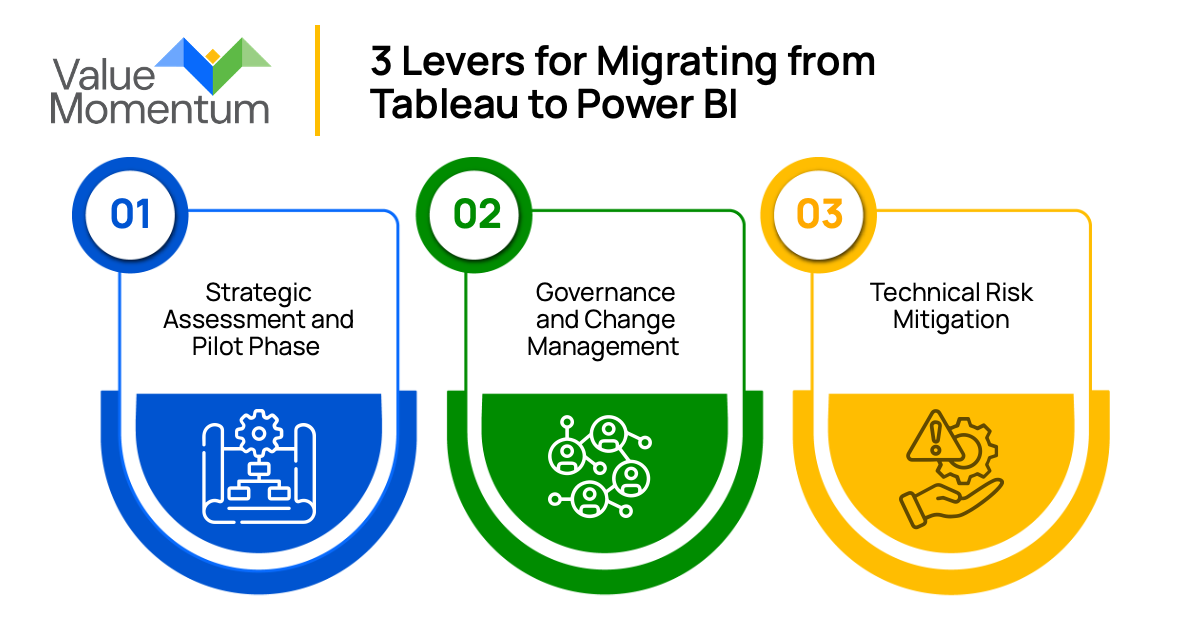
Lever 1: Strategic Assessment and Pilot Phase
Successful migrations begin with clarity. Organizations should inventory existing Tableau assets, identify high-value dashboards and users, and define clear objectives for the move to Power BI. A deliberate assessment ensures migration efforts focus on the insights that matter most rather than recreating every report by default.
Power BI is built around centralized, reusable semantic models. Rather than translating Tableau calculations and blends directly, organizations should redesign data models to align with Power BI and Microsoft Fabric best practices. This often includes rethinking calculation logic in DAX and standardizing transformations through Power Query.
Many organizations begin by migrating a small set of critical reports to validate architecture, performance, and user experience before expanding. Beginning with a focused pilot is also an opportunity to leverage Power BI’s native features rather than replicate Tableau dashboards one-to-one.
Lever 2: Governance and Change Management
As Power BI usage grows, governance becomes essential. Workspace design, role definitions, and security controls should be established early to prevent fragmentation and compliance issues. Embedding governance into the migration approach ensures scalability without introducing unnecessary security or compliance issues.
However, the success of any migration initiative ultimately depends on the people conducting it. Training, stakeholder engagement, and clear communication help users transition confidently from Tableau to Power BI.
Over time, this foundation enables organizations to adopt advanced insights and AI capabilities through Microsoft Fabric.
Lever 3: Technical Risk Mitigation
Certain Tableau-specific visual capabilities may not map directly to Power BI. Mitigation involves redesigning dashboards using Power BI-native visuals, custom visuals where required, optimized DAX measures, and semantic modeling to achieve equivalent or improved analytical functionality.
Change management efforts tie directly into risk mitigation. It’s not enough to ensure that there is organizational buy-in for the migration. Users may face adoption challenges due to changes in report behavior, filters, and interaction patterns. Change management also serves as risk mitigation. This may include structured enablement, detailed user guides, hands-on Power BI training, early UAT involvement, and validation of functional parity to ensure minimal disruption to existing analytical workflows.
Similarly, differences in calculated fields, filters, and data refresh logic may lead to inconsistencies. Mitigation includes centralized data modeling in Microsoft Fabric, standardized business rules, reconciliation checks, row-level security validation, and parallel run testing between Tableau and Power BI outputs.
Migrating from Tableau to Power BI isn’t just a tool replacement; it’s an opportunity to modernize data foundations and better align insight delivery with business needs. By approaching migration as a phased journey, organizations can standardize data models, embed governance early, and reduce complexity as usage scales.
When paired with Microsoft Fabric, Power BI can help insurers achieve a more unified, AI-ready analytics platform that extends beyond reporting. With the right approach, organizations can move from static dashboards to a more resilient, adaptable insights environment that evolves alongside data, users, and business priorities.
Curious about how you can improve your data strategies for the future? Check out our whitepaper, “Driving Business Value with Insurance Data Analytics.”